The melody sits in the scale, the strong notes land on the chord, and still nobody hums it after hearing it. Most of the time the missing work is in the phrase: where it breathes, how often the idea repeats, how it sits against the beat, how it ends and what shape it has. Each tip below rests on music theory about phrase form or on a study of perception, and comes with an example you can compare side by side. If you are still picking the scale and the first notes, start with how to make a melody for electronic music and come back here after.
- Let the phrase breathe
- State the idea twice before you move on
- Anticipate a note instead of always landing on the beat
- Question and answer: the last note decides
- A familiar shape with one surprise
Let the phrase breathe
What you hear: a line with no stops that, by the second bar, blends into the rest of the loop.
The ear splits a melody into groups of notes, and one of the strongest cues for where a group ends is silence. In the generative theory of tonal music that Fred Lerdahl and Ray Jackendoff published in 1983, a rest or a longer note between two notes is one of the rules that make a listener hear a boundary there. Without rests, the listener can’t tell where one idea ends and the next begins. It happens a lot with a lead that fills every 16th note because the loop feels empty. Before adding notes, try taking one or two out of the middle.
The start and the end are the same in both versions. In B, two notes in the middle became a rest and the line now has two halves. Synthesized in the browser, simpler than in a DAW.
In Ableton Live
- Turn on the clip’s Loop and listen to the melody several times in a row.
- In the MIDI Note Editor, select one or two notes in the middle of the phrase and delete them, or shorten the previous note by dragging its end.
- If the phrase feels too empty, lengthen the last note before the rest. A longer note also marks the end of a group.
State the idea twice before you move on
What you hear: every beat brings a new idea and, by the end of the loop, none of them stays with you.
Arnold Schoenberg called it the sentence, a phrase form found all over tonal music, and William Caplin described it in detail in his 1998 book Classical Form. It opens with a short idea and its repetition, the presentation, and only then moves on with a continuation that breaks the idea into smaller pieces and heads for the ending. Repeating the idea makes it clear what the motif is. And since the repetition doesn’t close anything, the ear waits for the continuation. In the example, it all fits in one bar: the idea takes the first beat, repeats on the second, and the continuation steps down to A over the last two. In a track, the most common proportion is two bars of idea, two of repetition and four of continuation.
A has four different ideas, one on each beat. B has the same idea twice and a continuation that ends on the tonic.
In Ableton Live
- Write the idea on the first beat of the clip, with two or three notes.
- Select those notes and drag them to the next beat while holding Option (Mac) or Ctrl (Windows). Live makes a copy instead of moving them.
- For the continuation, use notes from the idea in shorter pieces and end on the tonic, A if you are in A minor.
Anticipate a note instead of always landing on the beat
What you hear: every note starts on top of the kick and the melody sounds like a keyboard exercise.
A note that starts a 16th before the beat and keeps sounding over it is a syncopation, in this case an anticipation. In a study published in PLOS ONE in 2014, Maria Witek and colleagues asked participants to rate funk drum breaks with different amounts of syncopation. The breaks with a medium amount drew the strongest wish to move and the most pleasure, ahead of both the simplest and the most complex ones. The study used drum rhythms, so applying it to melody is an extrapolation: one or two anticipations per phrase, with the kick keeping straight time underneath, add swing without losing the pulse.
Same kick, same notes. In B, the notes on beats two, three and four start a 16th early and carry over the beat.
In Ableton Live
- Set the MIDI Note Editor grid to 1/16.
- Select the note you want to anticipate and press the left arrow once. The note moves back a 16th, because the arrow keys follow the grid.
- Check that the note still sounds over the beat. If it doesn’t, stretch it.
Question and answer: the last note decides
What you hear: the melody repeats, but it either always sounds finished or never does.
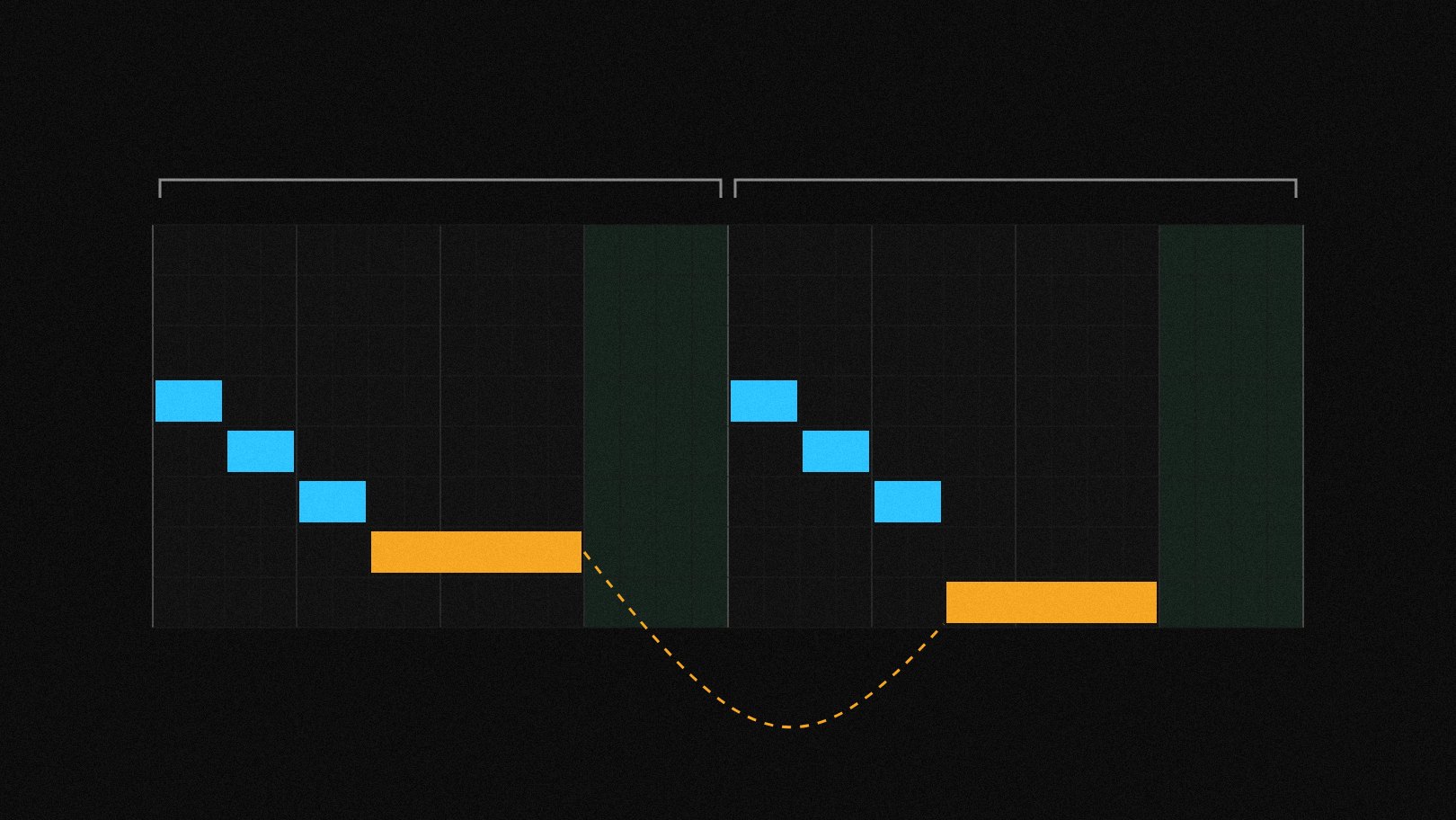
In classical theory, a question and answer phrase is called a period. The first half, the antecedent, ends on a weaker cadence, usually on the chord built on the fifth degree, and stays open. The second half, the consequent, starts the same way and ends on the tonic. With a single chord on loop, as in a lot of electronic music, there is no cadence in the classical sense, and it is the last note of each half that sounds open or closed. Ending on the root of the chord closes. Ending on another note, such as the second degree, leaves the phrase hanging. This adapts the classical idea, and you can hear it in the example: the A minor chord stays put and, in version B, only the last note of the question changes, from A to B.
Only one note changes, the fourth. Listen to the first half of B: it hangs until the second half resolves to A.
In Ableton Live
- In the clip, turn on Scale mode, pick A and Minor, and press K in the MIDI Note Editor to highlight the scale notes.
- Write the question in the first half of the clip and copy it to the second.
- Change only the last note of the question to anything other than A and listen to both halves in a row.
A familiar shape with one surprise
What you hear: the melody is predictable from start to finish, or it jumps around so much that nobody can sing it.
Kelly Jakubowski and colleagues asked 3,000 people to name the songs that got stuck in their heads and compared those melodies with others of similar popularity that nobody named. The melodies that stuck had a global contour that is common in pop music, such as rising in the first phrase and falling in the second, and less common rises and falls between the points where the line changes direction. On average they also had a faster tempo. One way to apply this when writing is to give the phrase an arch the ear recognizes, with one bigger leap saved for the high point. In the example, version B swaps the step from C to E for a leap from C up to the high A, and the phrase then comes back down to the A it started on.
Same shape, up and then down. In B, the high point arrives by a leap of a sixth and the phrase stops being predictable at that point.
In Ableton Live
- With Scale mode on, press G for Fold to Scale, and the MIDI Note Editor shows only the scale notes.
- Draw the phrase rising to the middle and falling to the end.
- Pick a single note for the bigger leap, at the high point, and keep the rest in steps.
Scale mode, Highlight Scale and Fold to Scale come from Live 12. In earlier versions, you mark the scale notes by hand.
In short
In order: take notes out until the phrase has rests, state the idea twice before developing it, anticipate one or two notes, let the last note decide whether each half asks or answers, and give the phrase an arch with a single bigger leap. A sound with character can also be the hook, as MusicRadar points out, and automating a filter cutoff across repeats keeps a repeating phrase alive. That comes after the phrase works with a plain sound.
In FL Studio, Logic Pro or Bitwig the piano roll has other names and shortcuts, but you make the same five decisions.
Try this now
In the sequencer, set the key to A and the scale to Aeolian, which is natural minor, and turn on the Kick under Groove. Press Melody A twice to open the Call & response variation and hear how the first half stays open and the second closes. Then press Clear, set the timbre to Pluck and write your own. In the first bar, write a question shaped like tip 2: a short idea, its repeat and a continuation that ends on B, with one anticipation and a rest before the end of the bar. In the second bar, repeat the question and change only the ending to A. When the two halves sound like question and answer, press Export MIDI and open the file in Live.
Sources and further reading
- Jakubowski, Finkel, Stewart and Müllensiefen (2017), Dissecting an earworm: melodic features and song popularity predict involuntary musical imagery, Psychology of Aesthetics, Creativity, and the Arts
- Witek, Clarke, Wallentin, Kringelbach and Vuust (2014), Syncopation, body-movement and pleasure in groove music, PLOS ONE
- Fred Lerdahl and Ray Jackendoff (1983), A Generative Theory of Tonal Music, MIT Press
- William E. Caplin (1998), Classical Form, Oxford University Press
- Open Music Theory, the sentence and the period
- Computer Music, 5 ways to write a great hook, MusicRadar
- Live manual, editing MIDI: moving notes, Scale mode and Fold to Scale
Learn to produce electronic music.
Structured courses, interactive tools and real-world references. Built for producers who are just starting out.