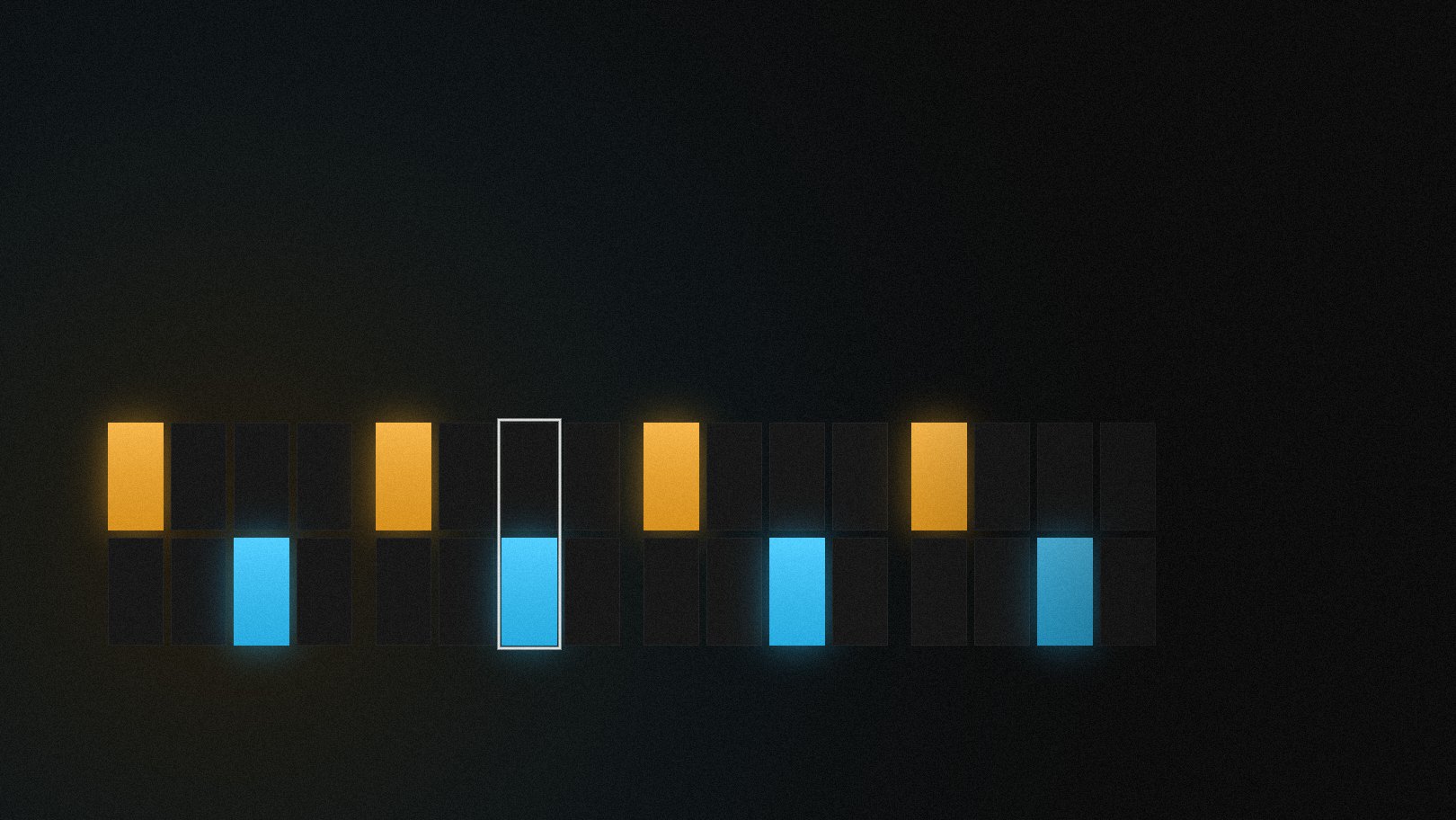
Your kick, hi-hats and chords sound good. Then you write the bassline and the loop turns heavy, muddy or just stuck. Most of the time the problem is not the bass sound but three decisions: where the notes land, how long they last and which notes they are. These five tips work through those decisions in order, and three of them come with an example so you can hear the problem and the fix in the same loop.
- Give the beat to the kick
- Start with three notes
- Note length is the groove
- Set up the turnaround at the end of the phrase
- Mono sub, harmonics for the phone
Give the beat to the kick
What you hear: the low end gets muddy and the kick loses punch, even with the levels right.
In four-on-the-floor house, the kick takes all four beats of the bar. If the bass starts on exactly the same spots, both fight for the same frequencies at the same moment and neither comes through. Move the bass notes to the offbeat, the eighth note between two kicks, and each one gets its own moment. This is the off-beat bassline, the simplest house pattern and one of the most used, because bass and kick never collide.
The same loop at 123 BPM. Only the start of the bass notes changes. Sound synthesized in the browser, simpler than in a DAW.
In Ableton Live
- Open the MIDI clip on the bass track, right-click in the editor and pick a fixed grid of 1/16.
- Write a note at 1.1.3, 1.2.3, 1.3.3 and 1.4.3, the eighth notes between the four kicks of the bar.
- Listen to the kick alone and then with the bass. The kick should still come through whole.
By genre: in techno, a rolling bass fills the sixteenths between kicks and wants even shorter notes. In organic house the sub is more restrained and syncopated. In afro house the bass rolls, follows the root and lands in less predictable places. When the bass really has to play on top of the kick, sidechain is the other way to make room.
Start with three notes
What you hear: a line full of notes that seems to go nowhere.
Before you go looking for a melodic line, write with only the root of the chord, the fifth and the octave. These three notes always sit well under the chord, and they force you to work on rhythm instead of jumping from note to note. Once the line holds up on its own, swap one note per bar for another note in the scale and listen to whether the line got better or worse. A bassline is worth as much for what it leaves out as for what it plays.
In Ableton Live
- Turn on Scale mode in the clip and choose the key of your track, so the scale notes are highlighted in the editor.
- For an A minor chord, use only A, E and the A an octave up. When the chord changes, move the root with it.
- Duplicate the clip (Cmd+D on Mac, Ctrl+D on Windows) and try variations only in the copy.
Note length is the groove
What you hear: the right notes in the right places, and still no bounce.
A note that drags over the next kick erases the space you opened in tip 1. Shorten each note to a sixteenth or a little more, and the silence between notes becomes part of the rhythm. In the example, the notes start on the same steps in both versions. The only difference is how long they last.
The same loop. The bass notes start on the same steps, only their length changes.
In Ableton Live
- Select every note in the clip (Cmd+A / Ctrl+A) and drag the right edge of one of them. They all shorten together.
- If the bass sound has a long tail, also shorten the release of the synth’s volume envelope.
Set up the turnaround at the end of the phrase
What you hear: the loop repeats unchanged and, after eight bars, it gets tiring.
Save a small change for the last beat of the phrase. It can be a passing note that leads into the next chord, or the root of the next chord played a sixteenth before the beat. The ear hears the phrase closing and takes the repeat as a fresh start rather than more of the same. Small changes to rhythm and notes, in the right places, do more than you would expect.
In Ableton Live
- Make the clip eight bars long by duplicating the line you already have.
- On the last beat of bar 8, replace the last note with the note between the current root and the next chord’s root, or push the next root a sixteenth early.
- Listen to the move from bar 8 back to bar 1 several times in a row. The turnaround should pull into the restart without drawing attention to itself.
Mono sub, harmonics for the phone
What you hear: the bass fills your headphones and disappears on a phone speaker.
A pure sine wave lives almost entirely below 100 Hz, where a small speaker reproduces very little. Light saturation adds harmonics between 200 Hz and 1 kHz, and your ear rebuilds the low note from them, even when the fundamental is barely audible. At the same time, keep the sub in mono: the lowest frequencies sound firmer in the center and reach a club system intact. Turn on the small speaker in the example and compare the two versions.
The same notes in both versions. The small speaker is a rough simulation.
In Ableton Live
- After the bass synth, add a Saturator with the Analog Clip curve and a little Drive. Listen at low volume, as if on a phone.
- Add a Utility and turn on Bass Mono, with the frequency between 100 and 150 Hz.
- Compare with the Saturator off at the same loudness, matching the Output, so you don’t mistake louder for better.
All three devices (Drift, Saturator and Utility) are in every edition of Live, including Intro.
In short
On your next bassline, work in this order: move the notes off the kick, write with only the root, fifth and octave, shorten the notes until the kick comes through whole, set up the turnaround at the end of the phrase, and only then work on the sound, with harmonics and a mono low end. The first four decisions are about writing and work with any synth.
In FL Studio, Logic Pro or Bitwig the device names change, but the five decisions are the same and come in the same order.
Try this now
In the lab, choose House and the Off-beat type and listen to the line. Then clear it and write your own by hand, using only the root, fifth and octave of each chord, always on the offbeat. Change only the last note of the phrase to set up the turnaround. Turn on Small speaker and raise Harmonics until the bass comes back. Export the MIDI and open it in Live on a track with Drift.
A MIDI keyboard does not work in Safari. If you use Safari, write the notes with the mouse or open the app in another browser.
Sources and further reading
Learn to produce electronic music.
Structured courses, interactive tools and real-world references. Built for producers who are just starting out.