Producer’s ear 3.0: the guide to using reference tracks to achieve a professional level

Why doesn’t your music sound like theirs?

You’ve spent hours on your new track. The arrangement is solid, the sounds are unique, and the mix seems pretty good to you. But when you play it next to a professional track from your favorite artist, something feels off. It lacks that polished, powerful punch you hear on streaming platforms. The bass isn’t as tight, the highs aren’t as crisp, and the overall volume is… well, lower. The gap between your music and theirs often comes down to one critical, often overlooked practice: using reference tracks.

This article is your guide to mastering the art of referencing. It’s not about copying someone else’s work; it’s about using professional mixes as a blueprint to train your ears, identify your mixing weaknesses, and make informed decisions. We’ll show you how to listen like a pro and use this simple but powerful technique to elevate your music to a professional standard.

Day 1: The foundation – choosing the right references

The first step to effective referencing is choosing the right track to compare against. A bad reference track will lead you down the wrong path.

Your mission:

  1. Be genre-specific: Pick 2-3 tracks that are in the exact same genre and subgenre as your track. If you’re making melodic techno, don’t use a deep house track as a reference.
  2. Choose high-quality audio: Use a high-quality file format (WAV or FLAC) or a high-quality streaming service (like Spotify Premium or Tidal). A low-quality MP3 will give you a flawed comparison.
  3. Find the “vibe”: Choose a track that has the sound and feel you’re aiming for. It should have a similar arrangement, a similar energy level, and a similar sonic signature.

Why this matters: The right reference track acts as a goalpost, giving you a clear, objective target to aim for during your production and mixing process.

Day 2: The process – A/B testing with purpose

A/B testing is the core of referencing. It’s the act of switching between your mix and the reference track to compare them.

Your mission:

  1. Set up for a level match: Load your reference track into a separate audio channel in your DAW. Crucially, reduce its volume so it matches the perceived loudness of your mix. Your mix might sound louder just because it’s quieter and less compressed, so be careful.
  2. Listen in short bursts: Don’t listen to a full song. Loop a short section (e.g., the drop) and switch back and forth between your track and the reference every few seconds.
  3. Focus on specific elements: Don’t try to hear everything at once. Focus on one element at a time.
    • The low-end: Does your kick drum have the same punch and weight? Is your bassline as clear and present?
    • The midrange: Is your lead synth or vocal cutting through the mix like theirs?
    • The high-end: Are the hi-hats and cymbals as crisp and clear? Or do they sound harsh?

Why this matters: A/B testing allows you to make quick, objective comparisons, training your ears to hear the subtle differences that separate an amateur mix from a professional one.

Day 3: Going beyond the mix – referencing for arrangement and sound design

Referencing isn’t just a final mixing tool. It can and should be used throughout your entire production process.

Your mission:

  1. Reference during arrangement: When you’re stuck on an arrangement, listen to your reference track. How long is their intro? Where does the breakdown start? When do they introduce the main melody? Use their structure as a guide for your own track.
  2. Reference for sound design: Can’t get your bass to sound right? Find a reference track with a bass sound you love. Deconstruct it mentally: is it a sub-bass? Does it have a lot of midrange? Is it distorted or clean? Use these insights to guide your own sound design.
  3. Reference for effects: Are you using too much reverb? Too little? Listen to how the reference track uses effects. Do the vocals have a lot of delay? Does the kick drum have any reverb on it?

Why this matters: Integrating referencing into your workflow from the beginning prevents you from going too far down the wrong path and saves you valuable time later on.

Day 4: Final checks – the mastering reference

Before you send your track off to be mastered, a final reference check can ensure your mix is master-ready.

Your mission:

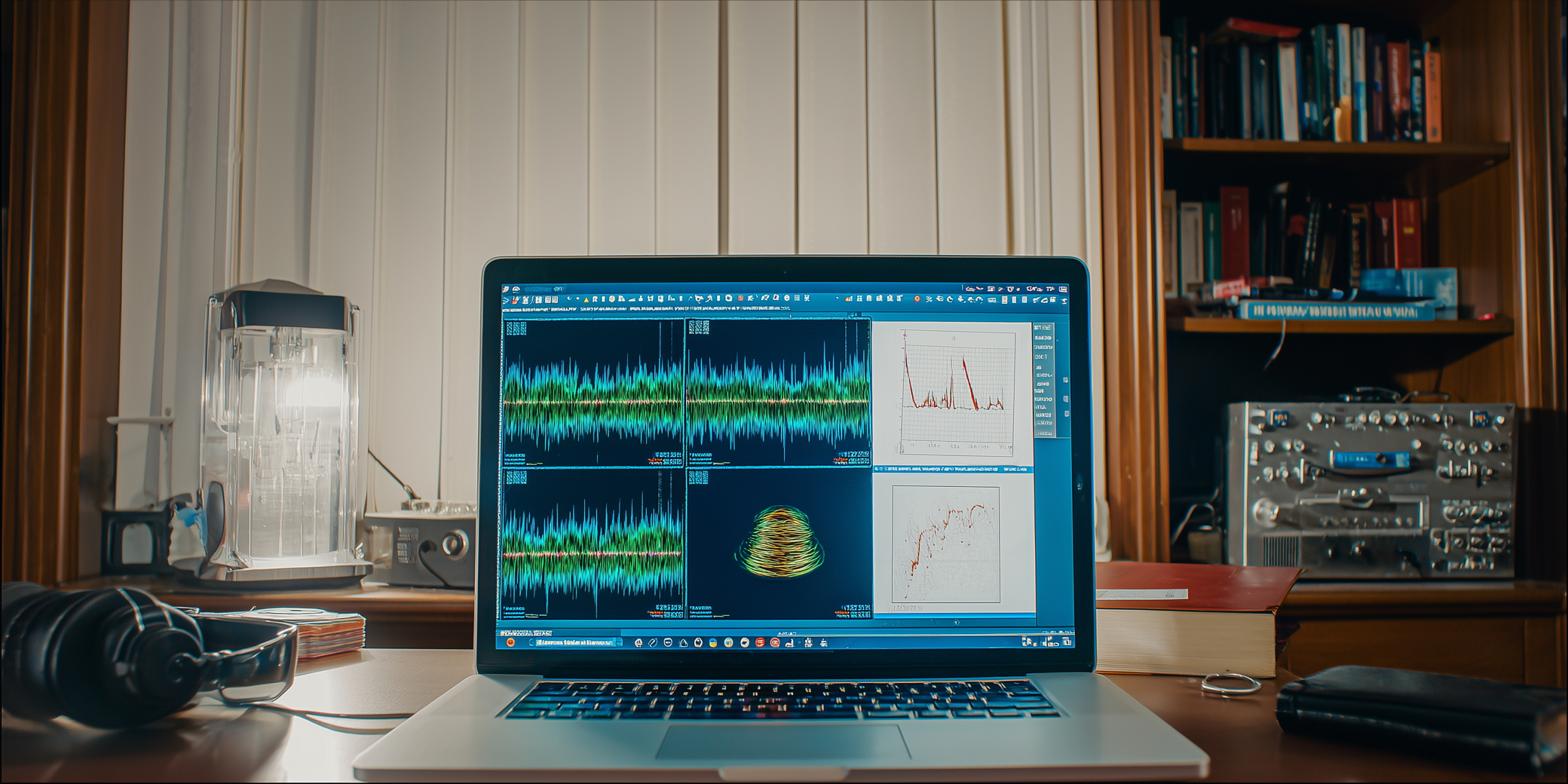
  1. Check for dynamic range: Look at the waveforms of your track and the reference track. A professionally mastered track will have a full, dense waveform, while your unmastered track will have more peaks and valleys. If your track’s waveform looks too compressed, it means your mix is likely too loud and needs a rethink.
  2. Check the stereo field: Use a stereo visualizer in your DAW. Does your mix have a similar width to the reference? Is your low-end in the center, or is it too wide?
  3. Check on different systems: Listen to both your mix and the reference on a variety of systems: laptop speakers, headphones, car stereo, etc. If your bass disappears on your laptop speakers but the reference’s bass is still audible, you might have a problem.

Why this matters: Referencing at the final stage helps you iron out any last-minute issues and ensures your track is well-balanced and ready for the mastering process.

The final polish

Using reference tracks is a skill that takes practice, but it’s one of the most effective ways to level up as a producer. It teaches you to listen critically, make deliberate choices, and close the gap between your passion project and a professional-grade track. Stop guessing, start comparing, and watch your music transform.


Creative sidechaining: beyond the kick and bass

The classic pump, reinvented

You already know the classic trick: you put a compressor on your bassline, feed the kick drum into its sidechain input, and voila—every time the kick hits, the bass “ducks” out of the way. This creates that signature “pumping” effect that gives electronic music its rhythmic energy. But what if we told you that sidechaining is one of the most versatile and creative tools in your arsenal, capable of much more than just a clean low-end?

This article is your guide to thinking outside the box with sidechaining. We’ll explore unconventional ways to use this technique to add movement, rhythm, and dynamic interest to your tracks. Forget just the kick and bass; we’re going to apply this power to vocals, synths, effects, and more. Ready to discover the true creative potential of this essential tool?

Day 1: The rhythmic synth pad

The “pumping” effect of a sidechain isn’t just for bass. Applying it to a pad can make a static, boring chord sound incredibly rhythmic and alive.

Your mission:

  1. Set up the classic: Take a simple, sustained synth pad. Route your kick drum to its sidechain input. Use a compressor with a fast attack and a fast release. Listen to the classic pumping effect.
  2. Use a rhythmic trigger: Now, instead of the kick, use a different sound to trigger the sidechain. Try a shaker loop, a hi-hat pattern, or even a short percussion hit. Listen to how the pad’s rhythm now follows the new, more intricate pattern.
  3. Automate the effect: Automate the compressor’s dry/wet knob or the sidechain’s amount to gradually introduce the effect during a build-up. This adds tension and makes the sound feel like it’s growing in intensity.

Why this matters: This technique turns a static sound into a rhythmic element, giving your track more energy and a sense of constant motion.

Day 2: Dynamic vocals

Vocals are often the centerpiece of a track, but sometimes they can feel a little flat. Sidechaining them can add a subtle, rhythmic “breathing” effect that makes them sit better in the mix.

Your mission:

  1. Sidechain to a shaker: Take a vocal track. Use a shaker or a subtle percussion loop to trigger the sidechain compressor. Use a light compression ratio and a short release. Listen carefully: does the vocal now feel like it’s pulsing in time with the rhythm?
  2. Sidechain to the snare: Take a vocal track and sidechain it to the snare drum. Use a very fast attack and release. This creates a quick dip in the vocal’s volume right when the snare hits, helping the snare cut through the mix without needing to turn it up.
  3. The “reverse sidechain” challenge: Create a sustained synth sound. Sidechain it to the vocal. Now, every time the vocalist sings, the synth’s volume will dip. This creates a clean space for the vocal and a cool, dynamic rhythmic effect on the synth.

Why this matters: Sidechaining is a powerful tool for mix dynamics, helping elements find their own space in a busy mix.

Day 3: Creative effects and transitions

Sidechaining isn’t just for volume; it can be used on effects like delay and reverb to create complex, rhythmic textures and transitions.

Your mission:

  1. Rhythmic reverb: Put a compressor on your reverb return channel. Sidechain it to a drum element, like a clap. Now, the reverb will only be audible in the space between the claps, creating a cool, rhythmic “gate” effect.
  2. Sidechained delay: Put a compressor on a delay return channel. Sidechain it to the main sound (e.g., a synth). The delay will now only appear when the synth’s volume drops, making the delay echoes much clearer and more impactful.
  3. The “sidechain riser” challenge: Create a white noise riser. Sidechain a compressor on the riser to a repeating, fast-paced drum loop (e.g., 16th-note hi-hats). As the build-up progresses, increase the sidechain’s amount. The riser will now pulsate in time with the drums, adding a huge amount of rhythmic tension.

Why this matters: Using sidechaining on effects adds movement and sophistication, turning a simple effect into a powerful creative tool.

Day 4: Finding your own creative uses

The possibilities are endless. The key is to start thinking of your sidechain as a rhythmic modulation tool, not just a fix for low-end clashes.

Your mission (ongoing):

  1. Experiment with triggers: What happens if you sidechain a synth pad to a vocal sample? Or a bassline to a guitar strum? The most unique ideas often come from unexpected combinations.
  2. Try different tools: Sidechaining isn’t just for compressors. Many EQs, gates, and even effects plugins have sidechain inputs. An EQ with a sidechain input can create a rhythmic filter sweep, for example.
  3. Analyze your favorite tracks: Listen to tracks you love. Can you identify any creative sidechaining? A synth that pulses with a vocal? A reverb that disappears rhythmically?

Why this matters: The most unique sounds and creative arrangements come from experimentation. Don’t be afraid to try combinations that seem strange at first.

Your new secret weapon

Sidechaining is a foundational technique, but its true power lies in its creative application. By moving beyond the classic kick and bass and applying this tool to different elements and effects, you’ll open up a world of rhythmic possibilities. Start thinking of your tracks not just in terms of sound, but in terms of dynamic conversations between those sounds. This is where your music truly comes alive.

The human side of rhythm: breaking the grid and adding organic groove to your music

Is your beat feeling a little… robotic?

You’ve got your drum loop perfectly quantized. Every kick, snare, and hi-hat is locked to the grid, right on time. On the one hand, this is great for clarity. On the other hand, it can make your music feel lifeless, sterile, and, well, robotic. The secret to making a beat feel alive and truly groovable isn’t perfect timing; it’s the human element—the subtle imperfections and dynamic nuances that give music its pulse.

This article is about moving beyond the perfect grid. We’ll explore techniques for adding organic groove, swing, and dynamics to your rhythm section. You’ll learn how to break the rules to create beats that breathe and have a unique, captivating rhythm. Ready to make your beats dance instead of march? Let’s add some soul.

Day 1: The shuffle and swing

The most common way to add a human feel is with swing or shuffle. It’s a subtle rhythmic delay on every other note, which creates a bouncy, loping feel.

Your mission:

  1. Find your swing knob: Most DAWs have a “swing” or “shuffle” setting, often in the MIDI editor or a special groove pool.
  2. Experiment with percentages: Load a simple hi-hat loop. Now, apply a swing percentage. Start low (10-20%) and gradually increase it. Listen to how the feel of the beat changes. Notice how higher percentages can make the beat feel almost like a triplet rhythm.
  3. Apply to different elements: Don’t just apply swing to the hi-hats. Try it on a simple percussion loop or even a bassline. See how it changes the entire feel of the track.

Why this matters: Swing is a simple but powerful tool for instantly adding a genre-specific feel, from hip-hop to shuffled house.

Day 2: The micro-timing magic – manual ghost notes and flam

Beyond the swing knob, you can manually add subtle timing variations to create unique grooves. This is where you become the human drummer in your DAW.

Your mission:

  1. Slightly de-quantize: Take a drum loop you like. Select all the drum hits in the MIDI editor. Now, instead of moving them to the grid, move them off the grid by a few milliseconds.
    • The “laid-back” feel: Move a few key hits (like the snare) slightly after the beat. This creates a relaxed, laid-back vibe.
    • The “push” feel: Move a few hits slightly before the beat. This creates a forward, energetic feel.
  2. Create ghost notes: Ghost notes are quiet, subtle drum hits (usually snares or kicks) that fill the gaps between the main beats. Manually place a quiet snare hit a few ticks before or after a main snare to create a flam-like effect.
  3. The “human drummer” challenge: Take a simple 4/4 loop. Manually adjust the timing of the hi-hats, add a few ghost notes, and slightly shift the snare hits to create a unique groove that couldn’t be achieved with simple quantization.

Why this matters: These micro-timing adjustments are what separate a generic beat from one with a distinct, personal signature.

Day 3: The dynamic difference – velocity and volume automation

A real drummer doesn’t hit every drum with the exact same force. Variations in velocity and volume add dynamic life to a rhythm.

Your mission:

  1. Vary the velocity: In your DAW’s MIDI editor, find the velocity settings. For your drum loop, don’t keep all the hi-hats at 100% velocity. Vary them! Make some louder, some quieter. This creates a more natural, swinging feel.
  2. Automate volume: Automate the volume of a percussion track to create swells and dips. A snare roll that gets progressively louder, or a hi-hat pattern that fades in and out, can add tons of energy and variation.
  3. The “dynamic duo” challenge: Take a simple, quantized drum loop. Apply both micro-timing changes and velocity variations to create a beat that feels truly dynamic and alive. Listen to the difference.

Why this matters: Dynamics are a key part of rhythm. They control the energy and emotion of your beat, preventing it from sounding monotonous.

Day 4: Beyond drums – applying the principles

These techniques aren’t limited to drums. They can be applied to any rhythmic element in your track.

Your mission:

  1. Groove your bassline: Take a bassline and slightly delay a few of the notes. See how it changes the relationship between the bass and the kick drum.
  2. Apply to chords or stabs: If you have a rhythmic chord pattern or a synth stab, try adding a subtle swing or a slight delay to the last note of the phrase. This can create a unique call-and-response feel with the main beat.
  3. Listen to your favorites: Put on a track from an artist known for their groove (e.g., J Dilla, Four Tet). Close your eyes and listen. Can you hear the subtle imperfections in the timing? The variations in velocity?

Why this matters: A great groove is a conversation between all the elements in your track, not just the drums.

Find your feel

Learning to break the grid is a crucial step in moving from a technical producer to a musical artist. It’s about finding the balance between machine-like precision and human-like imperfection. By experimenting with shuffle, micro-timing, and dynamics, you’ll discover the unique groove that gives your music its soul. Don’t be afraid to be a little messy; that’s where the magic is.

The power of sound design: how to create signature textures and sounds without a thousand plugins

Still using the same old presets?

You’ve downloaded that new synth, scrolled through hundreds of presets, and found a decent bass sound. It works, but it’s the same bass everyone else is using. The secret to standing out as a producer isn’t about having the latest gear or the most expensive plugins; it’s about sound design. It’s the art of creating your own unique sonic palette, building sounds from the ground up that are distinctly yours.

This article is your introduction to the foundational principles of sound design. We’ll show you how to use the basic tools in your DAW to sculpt original sounds, proving that creativity and knowledge are far more powerful than a massive plugin library. Let’s start building your signature sound.

Day 1: The foundation – subtractive synthesis and the filter

Most of your DAW’s native synths use subtractive synthesis, a method of starting with a rich sound and then “subtracting” frequencies with a filter.

Your mission:

  1. Start with a rich waveform: Load a native synth in your DAW. Select a saw or square wave. Notice how bright and full it sounds.
  2. Learn the filter: Find the filter section and the cutoff knob. Slowly turn it down. Hear how the sound gets darker? Now, find the resonance knob. Turn it up and slowly sweep the cutoff again. Hear that “wah” sound?
  3. The “classic bass” challenge: Create a classic house or techno bassline using only a saw wave and a filter. Use a low cutoff and a little resonance. Automate the cutoff to create movement in your bassline.

Why this matters: Subtractive synthesis is the most common form of synthesis. Mastering the filter is the first step to shaping any sound you want.

Day 2: The envelope – controlling dynamics and movement

The envelope (ADSR) controls how a sound changes over time, shaping its attack, decay, sustain, and release. This is how you make a sound punchy, sustained, or fleeting.

Your mission:

  1. Create different synth sounds:
    • Percussive: Use a short attack and decay, with zero sustain. This makes a pluck or a drum sound.
    • Pad: Use a slow attack and a long release. This creates a dreamy, sustained sound.
    • Bass: Use a fast attack and a short decay. This gives you a punchy, groovy bass.
  2. The “one-synth-four-sounds” challenge: Using only one native synth and its envelope, try to create a punchy bass, a dreamy pad, a lead melody, and a percussive sound.

Why this matters: The envelope is the dynamic heart of a sound. Understanding it allows you to give a sound a unique personality.

Day 3: The magic of effects – turning simple sounds into complex textures

Plugins aren’t just for making things louder or wider. They’re tools for sound design.

Your mission:

  1. Deconstruct your native FX: Take a simple sine wave. One by one, add a native distortion, a flanger, a reverb, and a delay. How does each effect change the sound?
  2. The “unrecognizable” challenge: Take a simple, boring sound (like a sine wave or a stock drum hit) and use only native effects to transform it into something completely new. Try using extreme settings, parallel processing (blending the dry and wet signals), and automation.
  3. Use resampling: Create a new synth sound. Record a few notes of it. Now, bounce that audio clip to a new track. Chop it up, reverse it, apply new effects, and use it as a completely new element in your track.

Why this matters: Creative use of effects is how professional producers add texture, depth, and originality to their music.

Day 4: From samples to synths – the power of sampling

Your DAW’s sampler is a powerful sound design tool. It’s not just for playing drums; it’s for turning any sound into an instrument.

Your mission:

  1. Find your source material: Record a simple sound in your environment (a click, a clap, a hum). Or use a short sample from a stock library.
  2. Load and play: Load this sound into your DAW’s native sampler. Map it across your keyboard. Play it melodically!
  3. Process it: Use the sampler’s built-in filters and envelopes to shape the sound. Add a native reverb to give it space.
  4. The “found sound instrument” challenge: Create a full drum kit or a bassline using only samples of household objects.

Why this matters: Sampling allows you to create sounds with unique timbres that no one else has, giving your music a truly original feel.

Your sound, your signature

Sound design is a journey of exploration and experimentation. It’s about understanding the fundamentals of sound and then twisting them to fit your creative vision. By dedicating time to mastering your DAW’s native tools, you’ll be able to sculpt any sound you can imagine, building a unique sonic identity that sets your music apart. Stop searching for the perfect preset, and start creating it yourself.

The art of arrangement: building a sonic journey from start to finish

Is your music stuck in a loop?

You’ve got a killer drum loop, a bassline with undeniable groove, and a melody that gets stuck in your head for days. You’ve made a great 8-bar loop. So… what’s next? This is where many intermediate producers hit a wall. They can create fantastic ideas but struggle to turn them into a full, engaging track that keeps listeners hooked for three, four, or even five minutes.

Arrangement is the blueprint of your song. It’s the art of telling a story with sound, creating tension, release, and dynamics. This guide is your toolkit for moving beyond the loop. We’ll explore techniques used by top producers to craft a sonic journey that feels complete, intentional, and, most importantly, keeps the listener from hitting “skip.”

The power of repetition (and how to avoid getting boring)

Repetition is key in electronic music, but without smart variations, it becomes monotonous. The goal is to make the listener feel like they’re hearing something new, even when they aren’t.

Your mission:

  1. The “drop & add” method: Start with all your elements playing. As the loop repeats, gradually drop a few elements (like a kick or a synth melody) for one or two bars. Then, add them back in. This creates a subtle sense of tension and release.
  2. Filter automation: Take a key element, like a bassline or a synth pad, and automate its filter cutoff. A slow, subtle filter sweep over 8 or 16 bars makes the sound feel like it’s evolving, even if the notes are the same.
  3. Layered percussion: Use simple rhythmic loops, but add new, smaller percussion elements (like shakers, rimshots, or clicks) every 4 or 8 bars. This keeps the groove feeling fresh without disrupting the main beat.

Why this matters: These small, iterative changes create a subconscious narrative that holds the listener’s attention.

The blueprint: common arrangement structures

You don’t need a music degree to build a strong structure. Many electronic tracks follow a simple, effective format.

Your mission:

  1. Build a basic structure:
    • Intro (8-16 bars): Start with sparse elements. A filtered drum loop, a pad, or an atmospheric sound. Build anticipation.
    • Main section/verse (16-32 bars): Introduce the core elements of your track: the main beat, the bassline, and a key melodic element.
    • Breakdown (8-16 bars): Remove the drums and bass. Focus on melodic elements, pads, and atmospheric textures. This is where you reset the listener’s ears.
    • Build-up (8-16 bars): Gradually reintroduce elements. Add risers, white noise sweeps, and increasing tension.
    • Drop/climax (16-32 bars): The full power of your track returns. Make this moment impactful.
    • Outro (8-16 bars): Fade out elements, leaving a sense of conclusion.
  2. Map it out: Use your DAW’s markers or locators to label each section. This gives you a clear visual roadmap to follow.

Why this matters: A strong structure provides a predictable yet engaging framework that guides the listener through your musical journey.

Creating tension and release: the emotional rollercoaster

A great arrangement is like a narrative. It builds tension and then offers a satisfying release.

Your mission:

  1. Risers and fallers: Use a reverse cymbal, a white noise riser, or a synth sound that slowly pitches up to signal an incoming change (e.g., a build-up). A filtered sweep or a simple crash cymbal can mark a drop or a transition.
  2. Vocal samples: A well-placed, a cappella vocal loop or a single vocal snippet can be used to signal a transition, creating an emotional pause before the beat kicks back in.
  3. Automated FX: Automate a delay on a synth melody so it gets progressively wetter and more chaotic during a build-up. When the drop hits, kill the delay to create a clean, impactful sound.

Why this matters: These tools are not just effects; they are emotional cues that help you control the listener’s experience.

Listen with a producer’s ear

The best way to learn arrangement is by reverse engineering the pros.

Your mission (ongoing):

  1. Deconstruct: Pick your favorite electronic tracks. Put them in your DAW and use markers to label each section (Intro, Verse, Breakdown, Drop, Outro).
  2. Analyze the “why”: Why does the track introduce new elements at the 16-bar mark? How does the producer create a sense of tension before the drop? What elements are removed during the breakdown?
  3. Apply to your work: Use the insights you’ve gained to inform the arrangement of your own tracks. Don’t copy, but learn the principles behind their choices.

Why this matters: Active listening gives you a practical education in what works and what doesn’t, allowing you to develop your own unique arrangement style.

Your final blueprint: from idea to journey

Arrangement can feel intimidating, but it’s a skill you can learn and perfect. By focusing on smart repetition, solid structures, and the deliberate use of tension and release, you’ll start creating tracks that are more than just loops. You’ll be crafting complete, memorable journeys for your listeners.

‘Less is More’: Mastering your DAW with native plugins and essential sounds for a unique signature

Overwhelmed by Plugins? Your DAW is your secret weapon!


You’ve probably seen endless lists of “must-have” plugins, each promising to unlock the next level of sound. It’s easy to fall into the trap of thinking you need a vast arsenal of expensive third-party tools to create professional-sounding electronic music. But what if your Digital Audio Workstation (DAW) itself, with all its built-in instruments and effects, holds the key to developing your unique sonic signature?

This article isn’t about ignoring external plugins entirely. It’s about empowering you to master the tools you already have, forcing creative limitations that often lead to groundbreaking sounds. You’ll discover how focusing on your DAW’s native capabilities can not only save you money but also push your creativity in unexpected directions. Ready to unlock the full potential of ‘less is more’? Let’s dive in.

Day 1: The synth you already own – Deep diving into native oscillators


Most DAWs come with powerful native synthesizers. These aren’t just for beginners; many professional tracks use them.

Your Mission:

  1. Pick a Native Synth: Choose a default, general-purpose synth in your DAW (e.g., Ableton’s Wavetable/Operator, FL Studio’s Sytrus/3x Osc, Logic’s Alchemy/Retro Synth).
  2. Learn the Basics: Focus on the core components:
    • Oscillators: Experiment with different waveforms (sine, saw, square, triangle). How do they sound different?
    • Filters: Play with the cutoff and resonance. How does it shape the sound?
    • Envelopes (ADSR): Adjust Attack, Decay, Sustain, and Release to make sounds punchy (short attack, quick decay) or dreamy (slow attack, long release).
  3. The “One-Synth-Challenge”: Try to create 3-5 different sounds only using this one synth: a bass, a pad, a lead, and perhaps a percussive sound.

Why this matters: Understanding these fundamental synth parameters allows you to sculpt any sound, building blocks for your unique sonic palette.

Day 2: The FX Rack – Unlocking Native Effects Chains


Your DAW is packed with built-in effects like EQ, Compression, Reverb, Delay, Distortion, and more. Combining them creatively is where the magic happens.

Your Mission:

  1. Experiment with Chains: Take one simple synth sound (from Day 1) and create an effects chain using 3-5 native effects.
  2. Purposeful Order:
    • Start with EQ to clean up or shape the tone.
    • Add Compression to control dynamics.
    • Introduce Distortion or Saturation for grit/warmth.
    • Finish with Time-based Effects like Reverb or Delay for space.
  3. The “Alien Sound” Challenge: Try to transform a familiar sound (e.g., a piano sample or a simple sine wave) into something completely unrecognizable and otherworldly, using only your DAW’s native effects.

Why this matters: Native effects are robust. Learning how they interact allows you to build complex textures without external reliance.

Day 3: Samples & loops – Repurposing the built-in library


Your DAW probably came with a hefty library of samples and loops. Don’t just browse; transform them.

Your Mission:

  1. Find a “Boring” Loop: Pick a generic drum loop, a simple synth loop, or even a vocal sample from your DAW’s default library.
  2. Chop It Up: Use your DAW’s slicing tools to chop the loop into individual hits or smaller segments. Rearrange them in a new, unexpected order.
  3. Process Aggressively: Apply extreme native effects (distortion, bit crusher, heavy filtering, granular effects if available) to the chopped pieces.
  4. Create a New Instrument: Load a single drum hit (e.g., a kick drum) into a sampler. Map it across your keyboard. Play it melodically, process it with native effects, and turn it into a bassline or a percussive synth.

Why this matters: This teaches you to see samples not just as ready-made sounds, but as raw material for unique sonic creation.

Day 4: Automation – The dynamic heart of your track


Automation is crucial for making your tracks evolve and breathe. It’s how parameters change over time, adding movement and interest.

Your Mission:

  1. Automate Everything: Take a simple 4-bar loop you’ve made.
  2. Filter Sweep: Automate the cutoff frequency of a filter on your main synth sound to create a classic “sweep” effect.
  3. Volume/Pan Swells: Automate the volume of a pad to slowly fade in and out, or pan a percussion sound from left to right.
  4. Effect Wet/Dry: Automate the “dry/wet” knob of a reverb or delay effect to bring it in during a build-up and pull it back during the main section.

Why this matters: Automation transforms static sounds into dynamic, living elements, guiding the listener’s ear and building tension.

Day 5: The challenge – Your 100% native track


It’s time to put it all together. Your final mission for this article is to create a short (1-2 minute) electronic track using only your DAW’s native instruments, effects, and samples.

Your Mission:

  1. Concept: Start with a simple idea or mood.
  2. Build It: Apply everything you’ve learned:
    • Use native synths for all melodic and bass elements.
    • Process sounds with native effects chains.
    • Chop and transform native samples for drums or unique textures.
    • Utilize automation extensively to create movement and evolution.
  3. Export & Reflect: Export your track. Listen to it critically. What did you learn by being limited? Where did you push your creativity?

Why this matters: This exercise forces you to think outside the box, proving that true creativity thrives within constraints.

Your unique sound: Built from the ground up


By deeply understanding and exploiting the native tools in your DAW, you’re not just learning software; you’re developing a foundational understanding of sound synthesis, processing, and arrangement. This knowledge is transferable, makes you a more resourceful producer, and, most importantly, helps you forge a sound that is uniquely yours, not just a collection of popular presets.

Embrace the constraints, get creative, and let your DAW reveal its true power.

Unlocking your DAW: A zero-to-electronic-beat journey (and beyond!)

So, You want to make electronic music?

The journey into electronic music production can feel like stepping onto a vast, uncharted island. You’ve got the passion, the ideas, and perhaps a vague notion of what a DAW (Digital Audio Workstation) is, but where do you even begin? Forget the intimidating tutorials that throw complex terminology at you. This isn’t just another guide; it’s your 7-day roadmap to creating your first complete electronic beat, built on practical steps, creative challenges, and the kind of actionable insights you actually need.

Forget the myth that you need expensive gear or years of theory. Your most powerful tool right now is your curiosity and the willingness to experiment. Ready to turn those abstract ideas into tangible sound? Let’s dive in.

Day 1: Choosing your ship (and not getting lost at sea)


The first hurdle is often picking a DAW. With so many options – Ableton Live, FL Studio, Logic Pro, Studio One, Reason – it’s easy to get stuck in “analysis paralysis.” The truth? Most DAWs do the same core things, just with a different interface.

Your Mission:

  1. Do Your Research (Quickly!): Watch 2-3 introductory videos (5-10 min each) on YouTube for Ableton Live and FL Studio. These are incredibly popular for electronic music and have vast online communities. Pay attention to how they look and feel.
  2. Download a Free Trial: Both Ableton Live and FL Studio offer generous free trials. Pick the one that intuitively appeals to you most. Don’t overthink it! This is just your starting point.
  3. Open It Up: Simply open your chosen DAW. Explore the interface without judgment. Click around. Don’t worry about making music yet; just get comfortable with the environment.

Why this matters: The best DAW is the one you actually use. Don’t wait for the “perfect” choice. Start experimenting.

Day 2: The Heartbeat – Laying down your first drums


Every electronic track needs a strong rhythmic foundation. Today, we’re building a basic drum loop.

Your Mission:

  1. Find the Drum Rack/Step Sequencer: Locate the drum machine or step sequencer in your DAW. This is where you’ll program your beats.
  2. Load Basic Sounds: Find a kick, snare, and hi-hat sound. Most DAWs come with pre-loaded drum kits. Start simple: a standard 909 or 808 kit is perfect.
  3. Program a 4-to-the-Floor Beat:
    • Place a kick drum on every beat (1, 2, 3, 4).
    • Add a snare drum on beats 2 and 4.
    • Place a closed hi-hat on every off-beat (1.5, 2.5, 3.5, 4.5) to create a consistent pulse.
  4. Loop It: Set your loop markers to cover 1 or 2 bars and listen to your creation repeatedly.

Why this matters: You’ve just created the backbone of countless electronic tracks! Understanding this fundamental rhythm is key.

Day 3: The Pulse – Crafting a Simple Bassline


A driving bassline is essential for groove and energy in electronic music. Today, we’re adding that low-end punch.

Your Mission:

  1. Find a Synth (or a Sampled Bass): Your DAW will have native synthesizers. Choose a simple one (like an analog-style synth) or find a pre-loaded bass sample.
  2. Basic Melody: Program a simple, repetitive bassline. For a classic feel, try hitting the root note of your track (e.g., C if your track is in C minor/major) on the downbeat, or experiment with a simple 2-note pattern that complements your drums.
  3. Listen and Adjust: How does the bass interact with your drums? Does it feel good? Adjust the notes or rhythm slightly until it locks in.

Why this matters: Drums and bass are the power couple of electronic music. Mastering their interplay creates undeniable groove.

Day 4: Texture & Atmosphere – Adding Pads or Leads


Now for some melodic or atmospheric elements. This is where your track starts to get its personality.

Your Mission:

  1. Choose a Synth (or Sample): Grab another native synth or a pad/lead sample.
  2. Simple Progression: Create a simple, 1- or 2-bar melodic loop. Don’t aim for complexity. A sustained pad can add warmth, or a simple lead line can add a hook. If you know a few chords, try a simple two-chord progression.
  3. Layer and Listen: Play it with your drums and bass. Does it blend? Does it add to the overall feeling? Experiment with different sounds and subtle effects (like reverb or delay) to create atmosphere.

Why this matters: These elements add emotional depth and sonic interest, moving your track beyond just a beat.

Day 5: Arrange for Impact – Building your track’s story


A great track isn’t just a loop; it has a journey. Today, we’ll arrange your 2-4 bar loop into a basic song structure.

Your Mission:

  1. Duplicate Your Loop: Copy and paste your current loop several times to create a longer segment (e.g., 16-32 bars).
  2. Basic Arrangement:
    • Intro (4-8 bars): Start with just drums, or drums and bass.
    • Build-up: Gradually introduce elements – maybe bring in the pad, then the lead, one by one.
    • Main Section: All elements playing together.
    • Breakdown (Optional): Remove some elements, focus on pads or atmospheric sounds for a few bars.
    • Outro: Gradually fade out elements, perhaps ending with just the kick drum or a sustained pad.
  3. Listen to the Flow: Does it feel natural? Does it build and release tension?

Why this matters: Arrangement turns a loop into a song, creating dynamics and keeping the listener engaged.

Day 6: Polish & Play – Basic Mixing and Effects


Now for the final touches. Even basic mixing makes a huge difference.

Your Mission:

  1. Volume Balancing: Adjust the volume faders for each track. No single element should be overwhelmingly loud. Your kick and bass are usually the loudest; other elements support them.
  2. Basic EQ: Use an Equalizer (EQ) plugin on each track to cut unwanted frequencies. For example, cut some low-end from hi-hats, or high-end from bass, to make space for other elements.
  3. Reverb & Delay: Add a touch of reverb or delay to your pad or lead synth to give them space and depth. Don’t overdo it! A little goes a long way.
  4. Listen on Different Devices: Listen to your track on headphones, computer speakers, and even your phone. How does it sound?

Why this matters: Mixing gives your track clarity and power, making it sound more professional.

Day 7: The Producer’s Mindset – Beyond the buttons


You’ve made your first beat! But true growth comes from your approach.

Your Mission (Ongoing):

  1. Listen Actively: Pay attention to the tracks you love. How are they structured? What makes their drums punchy, their basslines groovy, their melodies captivating? Try to deconstruct them in your mind.
  2. Experiment Fearlessly: Don’t be afraid to break the “rules.” Delete everything and start over. Try a new sound. Push boundaries.
  3. Patience is Key: Production is a marathon, not a sprint. Celebrate small victories and don’t get discouraged by roadblocks. Every mistake is a learning opportunity.
  4. Share Your Work (When Ready): Get feedback from trusted friends or online communities. Constructive criticism is invaluable.

Why this matters: Technical skills are important, but the right mindset fuels consistent improvement and creative breakthroughs.

Congratulations, Budding Producer!

You’ve just completed your first hands-on journey into electronic music production. This is merely the beginning of an exciting and incredibly rewarding path. Every great producer started exactly where you are now.

Keep exploring, keep creating, and most importantly, keep listening. The world of sound is waiting for you to shape it.